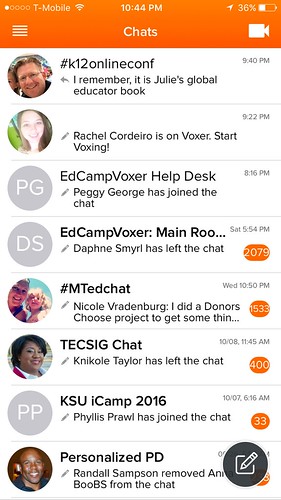
In case you missed it, here is the archive of the great panel discussion on global education with Julie Lindsay and friends.
In case you missed it, here is the archive of the great panel discussion on global education with Julie Lindsay and friends.
Presenter: Julie Lindsay
Location: Ocean Shores, New South Wales, Australia
This keynote is a trilogy. You can watch it one piece after the other or one at a time and take time to reflect.
Part One: Spotlight on Collaborative Learning
Part Two: Making Online Global Collaboration Work
Part Three: What if We Collaborated Globally?
Presentation Description: What is online global collaboration? Is it a pedagogy? A curriculum? Who is doing it and how? Explore collaboration ‘on the edge’ and learn from many online global educators and students across the world as they build collaborative learning communities and co-created outcomes. The narrative of educators working on the edge of collaborative learning is as revealing as it is entertaining – and this trilogy will inform, inspire and provide resources for all learners.
Additional Information:
There are many ways to take part in the discussion:
Did you know? We have a FAN badge! You can post it on your web site, Facebook page, or other online site to show your enthusiastic support and participation for the K12 Online Conference. We invite you to download the badge directly from this post by right-clicking, selecting “Save Image As”. Feel free to share it anywhere and everywhere.
K12 Online Conference Fan Badge
Another option for saving and downloading the Fan badge is to sign up for Credly. This is a badge that you can embed on your web site, Facebook page, or other online site to show your support for and participation in the K12 Online Conference. You will need to sign up for Credly (free) to save your badge in your account. Use this Claim Code to accept your badge. B75-90A8-3B7
You can also save and download your badge from Credly. If you want to download your badge you can do so from the sharing feature on Credly. When you mouse over a badge you’ve earned, click on the share icon. If you want only the image, simply click the button to download the badge image in “PNG” format.
Please help spread the word about this year’s event.
Thanks to Harrison McCoy (@DrHarrisonMcCoy) for his on-going support in creating our badges.
We’re just 2 weeks away from the start of the 2016-17 K12 Online Conference! Julie Lindsey’s pre-conference keynote video will be posted on October 31, 2016, and a YouTube Live panel discussion led by Julie will be held November 3rd. There are many ways to participate in this year’s conference! Read more about all of these on our conference FAQ.
One of the new ways to participate in our conference this year is to use Voxer. Building on the success of EdCampVoxer in December 2015, organizers have added a Voxer channel for the 2016-17 K12Online conference! Think of Voxer like a group walkie-talkie with optional group text messaging. To get started:
This 7 minute video by Jenna Clare (not created by our conference organizers btw) provides a good endorsement and overview of Voxer. Her instructional demo actually starts at 3:53.
Save the date: November 3 at 8:00 pm EDT. Find the time where you are here. As part of K12 Online Conference’s new format, there will be a panel discussion around the ideas presented in Julie Lindsay’s opening keynote presentation. Some of the panelists will be:

Photo by Guilhem Velut shared under a CC license https://www.flickr.com/photos/o_0/9878673/
Dr. Leigh Zeitz: ISTE Global Collaboration PLN President
Lucy Gray: Global Education Conference
Anne Mirtschin: global educator from Australia
Sonya Van Schaijik: Chinese language teacher from New Zealand
The panel discussion will be broadcast from YouTube Live. Audience participation (questions, comments) will be most welcome.
October is here and we are getting closer to the opening keynote, available on October 31, which will kick off our series of mini-conferences for this year’s newly designed K12 Online Conference. As announced, this will be given by Julie Lindsay.

Photo by Justin Holt
Description:
Is online global collaboration a curriculum? A pedagogy? What can we learn from other global educators as they join students across the world to share, discuss and build empathetic solutions for global challenges. The narrative of educators working on the edge of collaborative learning is as revealing as it is entertaining.
Join Julie Lindsay as she explores collaboration ‘on the edge’ and tells the stories that will inspire and sustain future global curriculum and make a compelling case for the change we need to see in K-12 education.
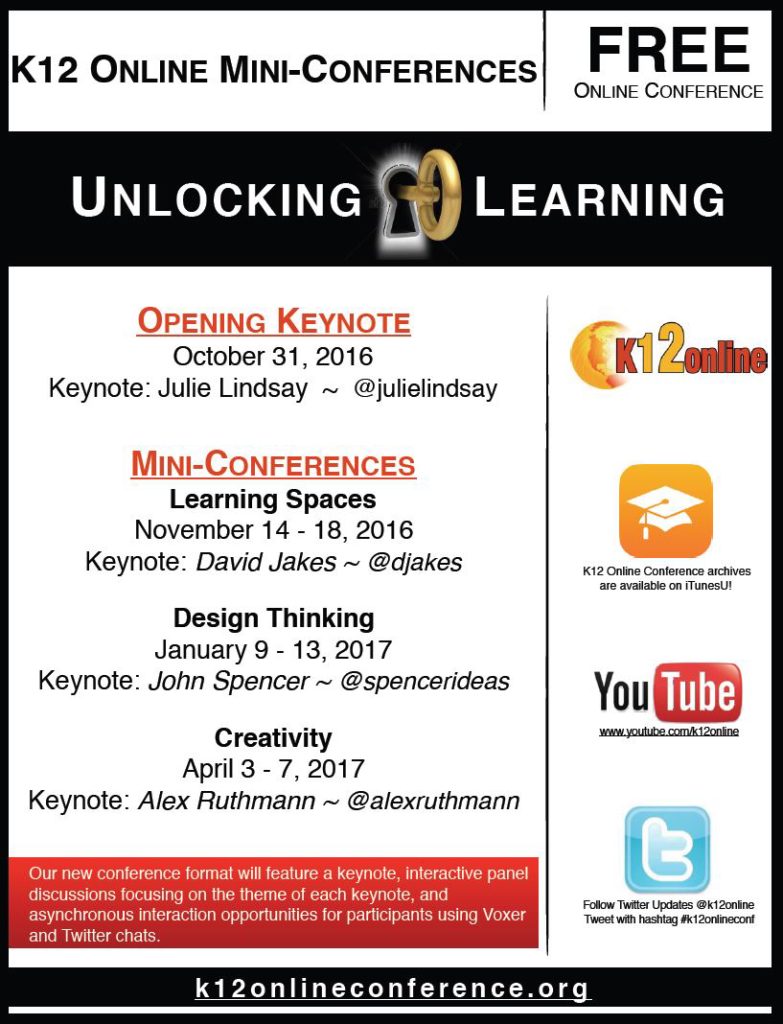
Announcing the new schedule for K12 Online mini-conferences! Please share this information with others.
OPENING KEYNOTE
October 31, 2016
Keynote: Julie Lindsay ~ @julielindsay
(Other activities to be held during the following week.)
MINI-CONFERENCES
As a reminder, our new conference format will feature a keynote, interactive panel discussions focusing on the theme of each keynote, and asynchronous interaction opportunities for participants using Voxer and Twitter chats.
Mark your calendars — here are the dates for the first K12 Online mini-conference.
 On October 31, we’ll have the pre-conference keynote address from Julie Lindsay. Later that week, we’ll have a live interactive panel discussion, Voxer channel discussions, and a Twitter slow chat to delve deeper into the subjects presented by Julie.
 Then from November 14-18, we’ll launch into our first strand “Learning Spaces.” This will begin with a keynote from David Jakes. Then we’ll expand on this with a live interactive panel discussion, Voxer channel discussions, and a Twitter slow chat.
We hope that this new format will provide many opportunities for you, our audience, to explore these topics in a more interactive and engaging way.
Dates for our subsequent strand mini-conferences will be forthcoming and will be in 2017.
Please share this post with others in your networks (new hashtag #k12onlineconf)!

Image credit: Alan Levine, CC BY
The K12 Online Conference is remaking itself.
Rather than publish approximately 40 video presentations within a three week window in October, this year the K12 Online Conference will:
These changes recognize both the growing number of interactive presentation and online conference options for educators, as well as the value of the mostly asynchronous, video-based format of our conference since 2006.
Watch this space for more details coming very soon.
Calling all educational innovators! This is the 10th year of the K12 Online Conference, a unique, FREE, entirely non-commercial and online professional development event focused on encouraging innovative idea sharing among teachers worldwide. We’re looking for educators at all levels who are willing to share a 20 minute video about innovative learning, projects, instructional practices or other ideas in 1 of four conference strands:
More details and the proposal submission form (which is not very long) are available on our 2016 Call for Proposals post, which we shared in April. You can also learn more about our conference on our Goals and Core Values page. The 2016 K12 Online Conference will take place again in October this year, but the deadline to submit a proposal is June 15th. Please share this post and our proposal 2016 flyer (PDF) with other teachers you know who could share a great presentation for our conference. Preparing a 20 minute video for our online conference with STRETCH you as a professional educator and encourage you to grow further, not only by reflecting on your own practice but also by connecting you with other educators with similar interests and passion for student learning! Please “take the plunge” this year and submit a proposal to present for K12 Online!
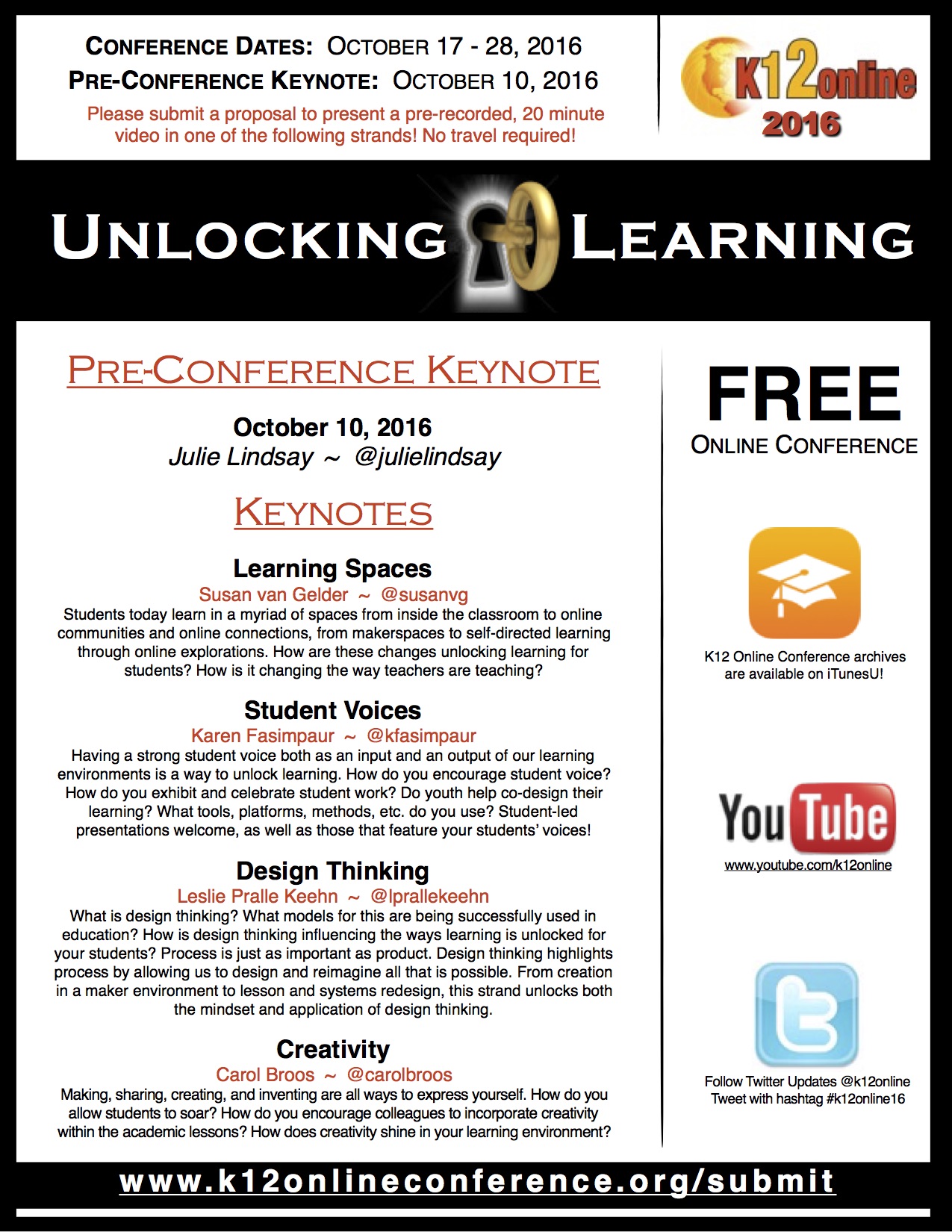
If you have any questions about presentations, submitting a proposal or the conference overall, please contact one of our volunteer conference organizers. The names and Twitter IDs of each of our conference strand conveners are also included in our proposal flyer (linked above.)We look forward to receiving your presentation for this year’s conference by June 15th!